Copy the prompt
Each report, guide and brief comes with its prompt, built from your own games. Copy it into whatever assistant you already use, and read the answer there.
 Sensei Top
 reads the logs Arena and Magic Online already write and turns them into a dashboard: every match and game, turn by turn, your record with each deck and against each archetype, and what the tournament metagame looks like next to it.
Download for Windows Download for Linux Windows installer
There is no build for macOS yet. Sensei Top runs on a Windows or Linux computer.
Sensei Top runs on a Windows or Linux computer, not on a phone or tablet.
Download for Windows Download for Linux Windows installer
Windows 10 and 11 (64-bit) and 64-bit Linux. The installer is not code-signed yet, so Windows may ask you to confirm the first time; the Microsoft Store version is signed and doesn't ask. The AppImage updates itself in place; steps for Ubuntu and the Steam Deck's desktop mode are in the install guide.
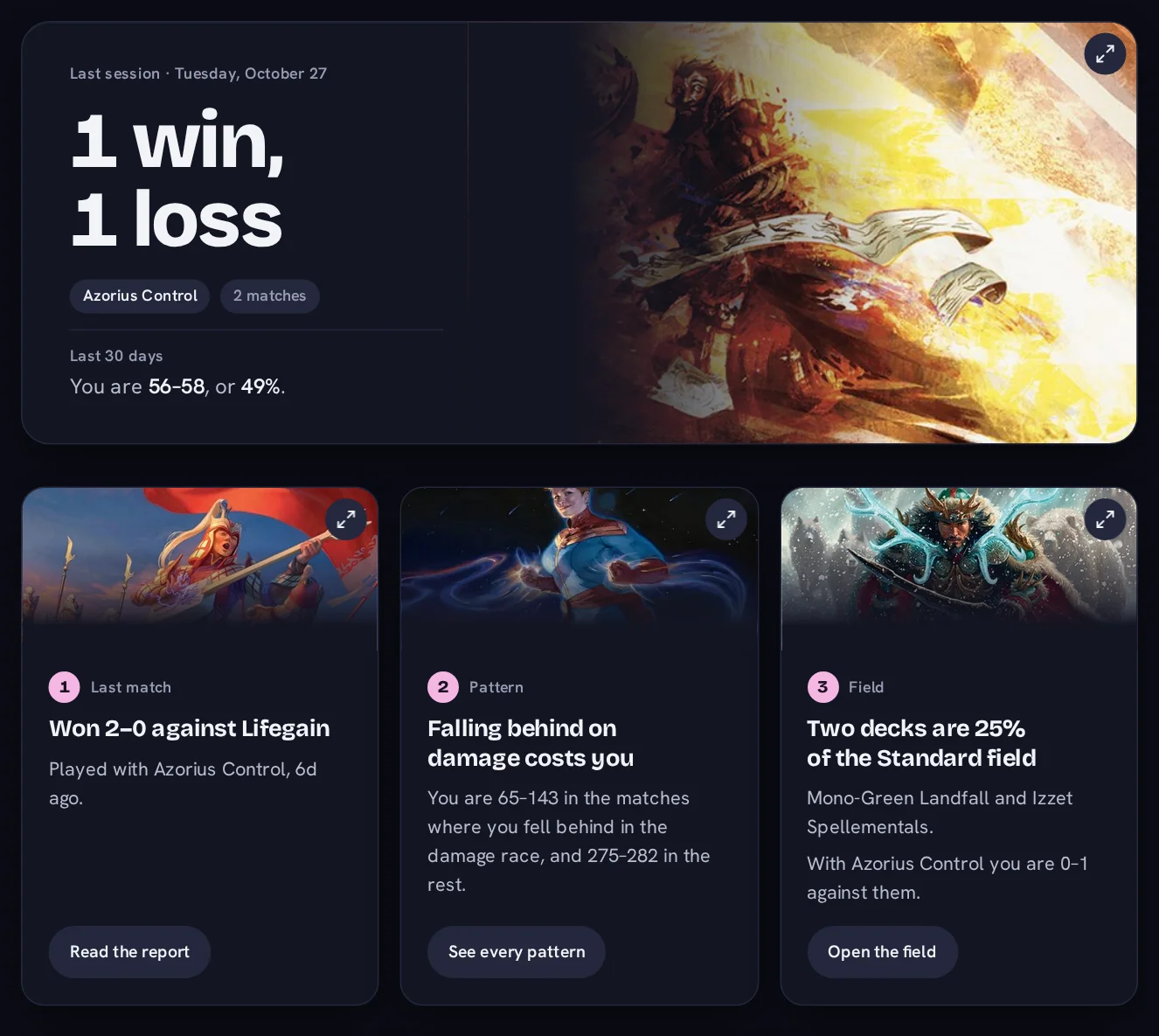
The last session in one line, your record over the last thirty days, your win rate by week, and three things worth a look: the last match, one pattern across your matches, and the field you are playing in.
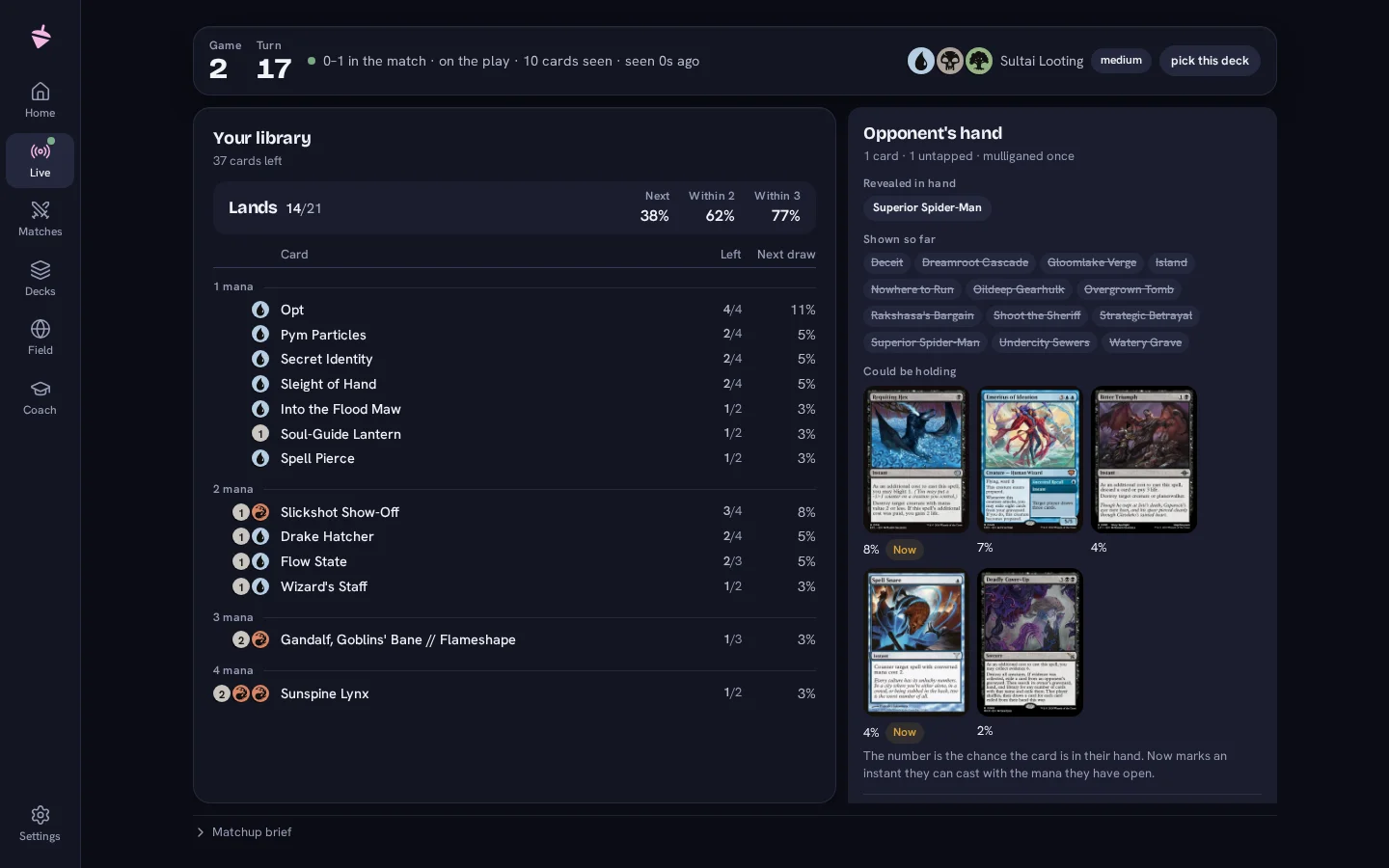
Arena already shows life, hand size and open mana, so Sensei Top shows what it does not: what a keepable hand looks like for the deck you are on, what the opponent has revealed and what their archetype usually runs beside it, and exactly what is left in your own library with the odds of drawing it soon. Between games, the sideboard plan from your matchup brief, once you have written one. During an event it shows what every tracker shows, and no advice; a switch in Settings turns the advice off in every game.
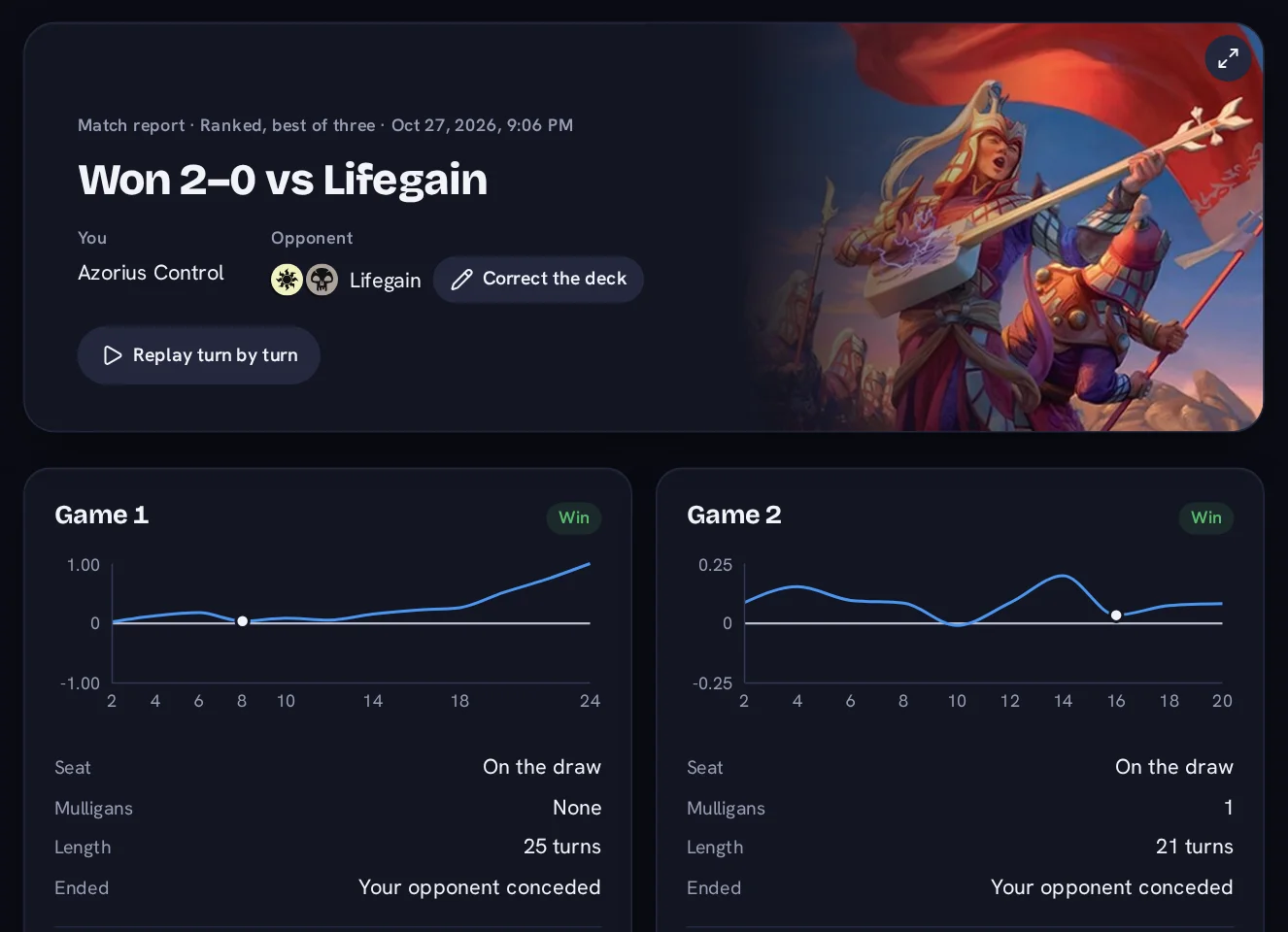
Each match gets a report of its own: who had to be the beatdown, how the damage race went, where the game turned and what was still live at the end, each measured against your other games with the deck. A turn-by-turn replay of every game sits under it, and a leak finder reads across all your matches for the patterns that cost you, with the sample size and the margin beside each one. A written report you can ask for.
Your record with each list you have played, split by version, with your matchups against each archetype and the sample behind every rate. The deck guide sets your list against what winning tournament pilots register and your matchup record against the field's shares, inside the current format's window, so a ban never mixes two formats into one. A written guide you can ask for.
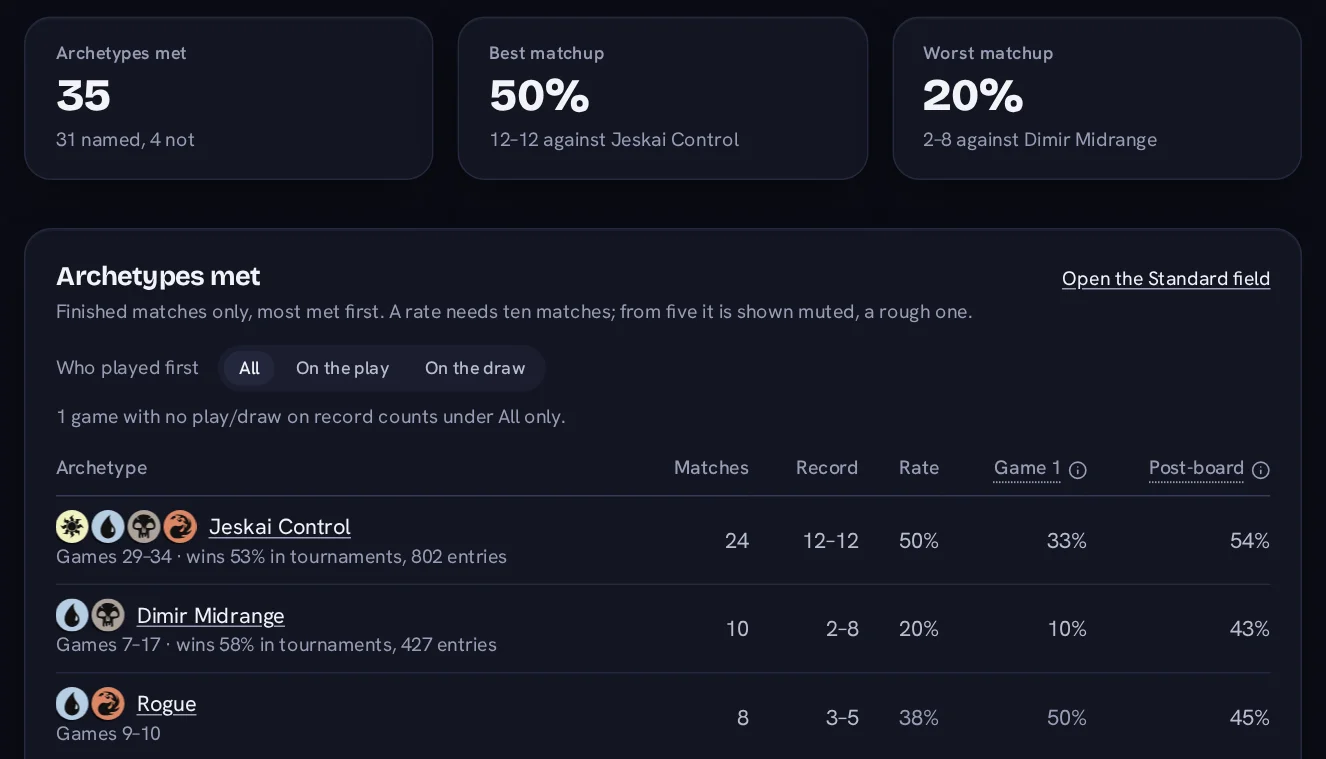
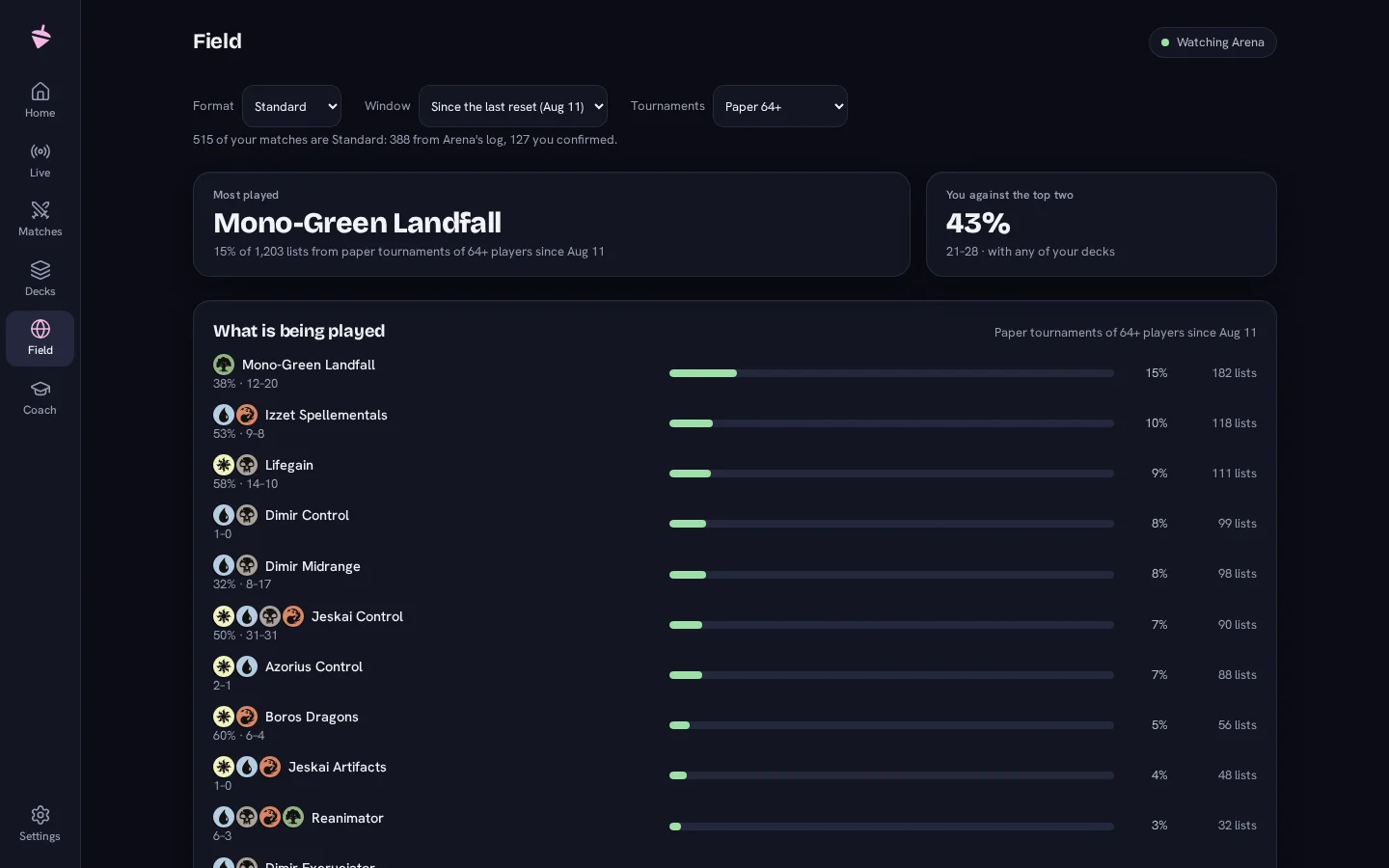
The field from real tournament results, Magic Online and paper, tiered by how much evidence stands behind each archetype's share, with your own record against each one in the same period. Per format, and never across a ban.
One report across every deck you play: your record on the play and on the draw, game one against post-sideboard games, kept hands against mulligans, where your losses turn, and three example games to go back to. Each report is dated and kept, and the next one is measured against it. A written report you can ask for.
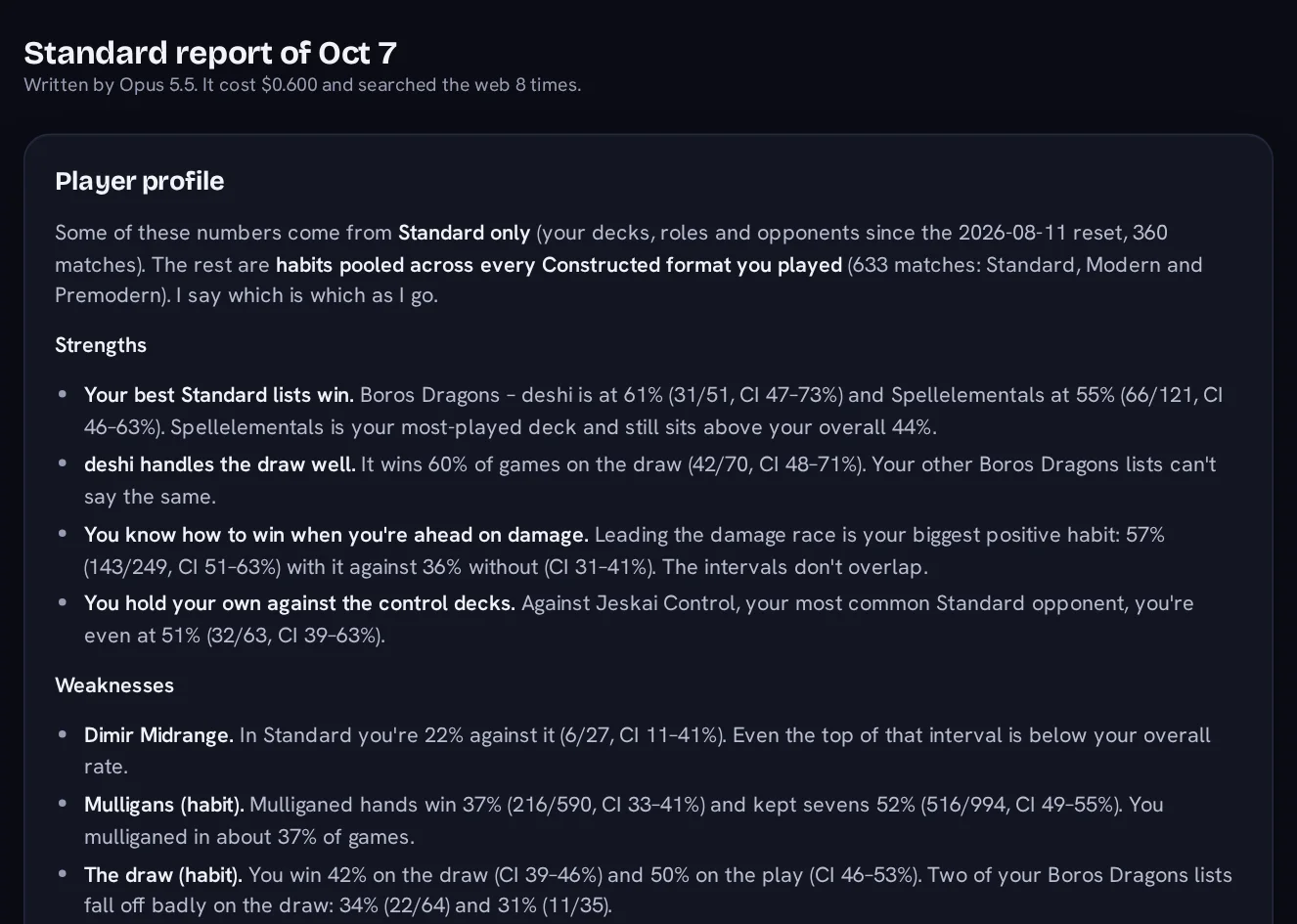
Every number above is the app's own work. The prose on top of them is optional, written by a model the app never calls on its own, and you choose how.
Each report, guide and brief comes with its prompt, built from your own games. Copy it into whatever assistant you already use, and read the answer there.
Set a Claude key of your own and press the button that says it will use it. The cost is measured from each answer and shown beside it. No key, no call. No press, no call.
The privacy page lists every request the app makes, and what each one carries.
Decisions, not gaps. Each was considered and refused.
The reasons are in the project status.
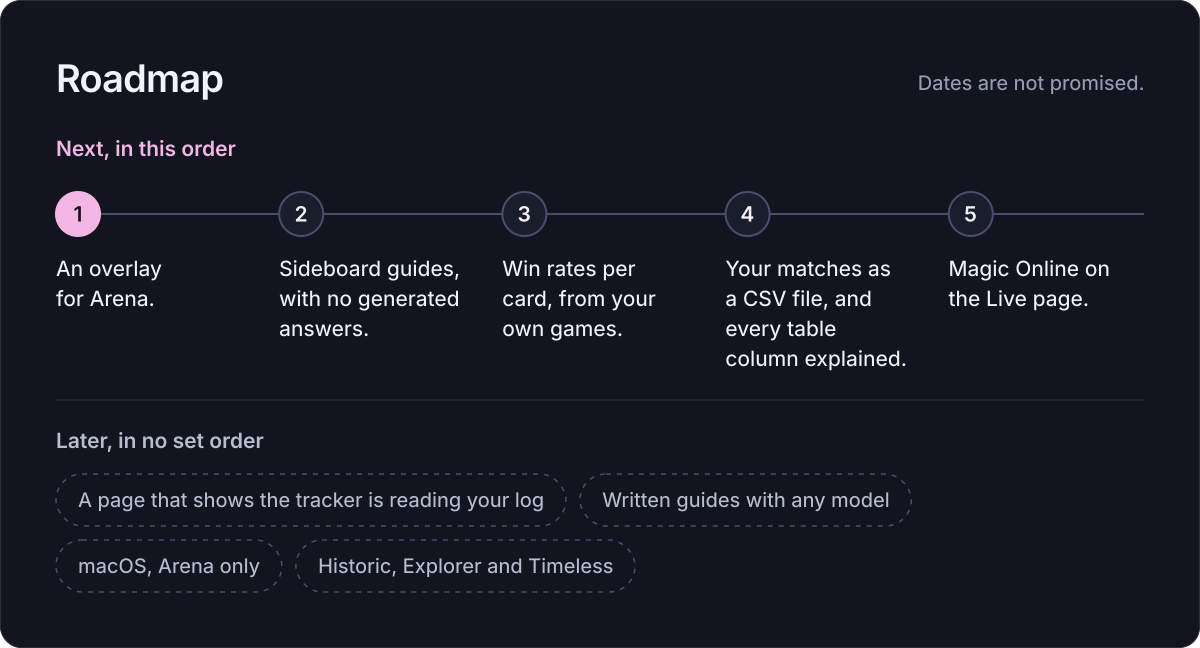
Next, in this order:
Later, in no set order:
Dates are not promised. The full roadmap has the rest.
Sensei Top is free software under the GNU Affero General Public License, version 3, and the tracker is free now and later: nothing free will ever ask you to sign up. Two paid things are planned, and neither takes anything away. When it goes up, the Microsoft Store build is the same app, for anyone who would rather support the project that way. Later, an optional paid tier adds deeper features and a monthly allowance of written reports, and is the only thing that asks for an account.
One person maintains Sensei Top in their spare time. A donation funds that time. It unlocks nothing in the app and no early build; what it gets you is your name in the credits if you want it there, a vote on what comes next, and the option to sponsor one item on the roadmap by name.